Play the Last Outpost

Seems you aren't running a Java enabled browser. That's ok!

Everything you need to start playing LO is probably already on your computer. LO uses a telnet interface, so if you run UNIX, Windows, or a Mac, you are ready to begin!

  • From Unix, type telnet last-outpost.com 4000.
  • From Windows, open the Run... dialog under the Start menu and type telnet last-outpost.com 4000. You may need to adjust the 'local echo' option to see the characters that you type.
  • Some web browsers can run telnet for you. To see if yours can, click this link.
  • A better option for Windows is to download and install PuTTY, a free Win32 telnet/SSH replacement. To connet to LO with PuTTY, set Host Name to 'last-outpost.com', the Port to '4000', the Session type to 'Telnet', and enable the Terminal 'Use local terminal line discipline' option. Once you are logged into LO, remember to turn on color output, as PuTTY can support it.
  • There are many other programs that you can use to connect to the game. We think that raw telnet through a 9600bps monochrome VT terminal is the real way to play, but if you want some extra features like auto mapping or scriptable triggers, you might check out one of the many MUD Clients that are out there.
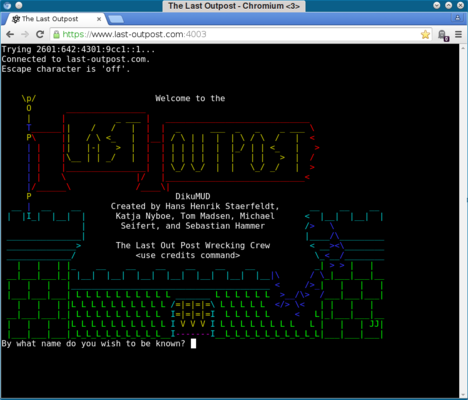
  • Once you are sucessfully connected to The Last Outpost, you will see the "By what name do you wish to be known?" prompt. Choose a name, and start playing! If this is your first time playing, check out this Newbie Guide for hints and tips.

    If you have trouble playing from this page, read about other ways of connecting to the game.

    If you enjoy playing the game, be sure to let other people know. You can cast a daily vote for The Last Outpost at these sites:


    Home The Last Outpost
    telnet://last-outpost.com:4000